

Modern gaming engines demand rapid asset streaming and instant frame timing calculations from your system memory. When you configure a high-end desktop, selecting the Best Gaming RAM with Low Latency makes the difference between choppy 1 percent low frame rates and a silky smooth gaming session. Enthusiasts often focus purely on raw frequency, but responsive access timings dictate real-world frame pacing and eliminate jarring micro-stutter in competitive esports.
Finding the right balance between raw transfer rate and low CAS latency requires careful attention to platform architecture and memory controller limits. Many builders mistakenly purchase high-speed modules without checking compatibility profiles, resulting in unstable boot loops or downclocked default speeds. We analyzed 7 high-performance memory kits for September 2026 to reveal which hardware delivers genuine real-world speed. For more technical tutorials and setup walkthroughs, explore our comprehensive How To guides.



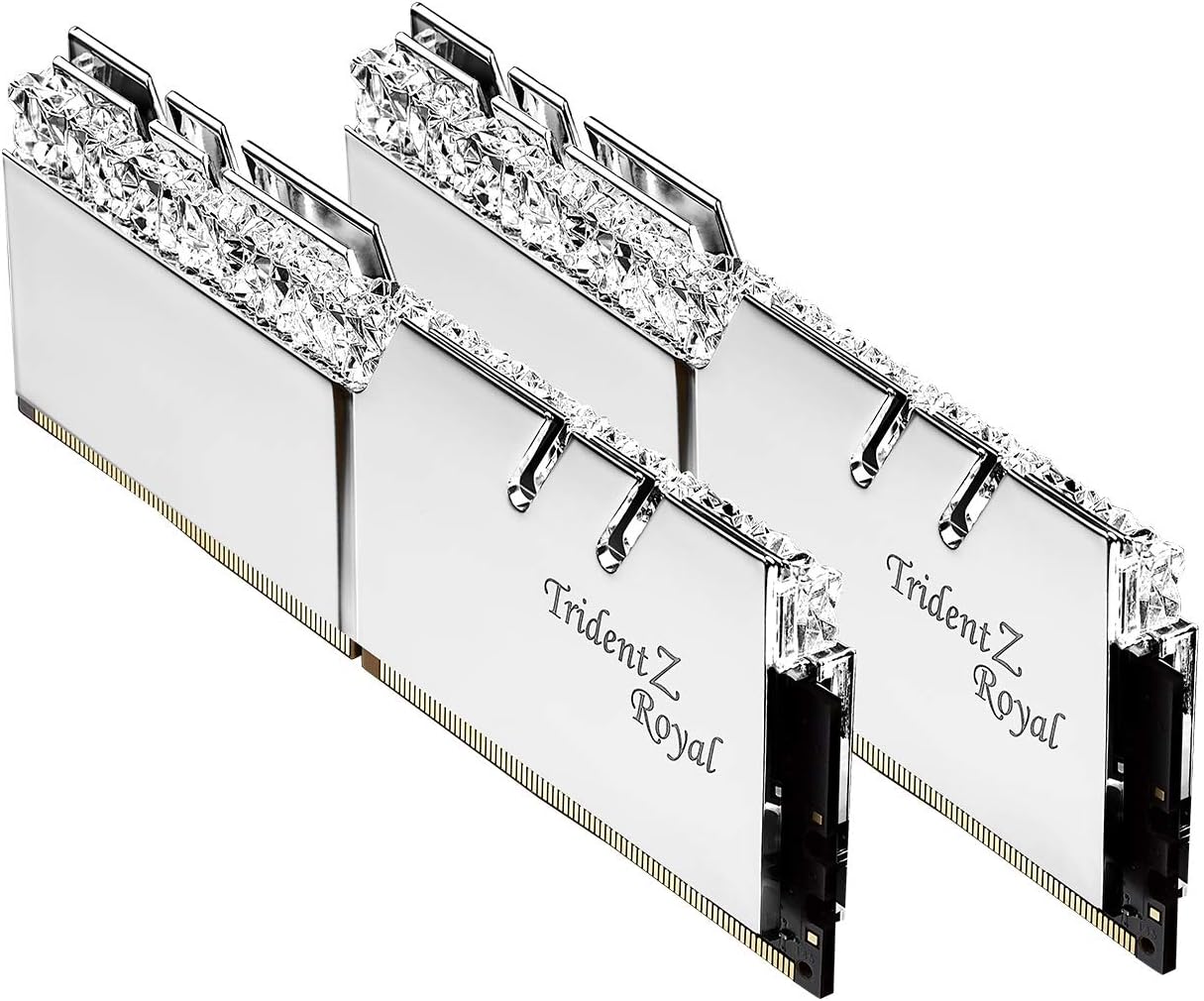
True Latency Calculation and CAS Timing
CAS latency represents the number of clock cycles that pass between a read command and the moment data becomes available. However, clock cycle duration shrinks as frequency rises, which means a higher CAS rating at higher clock speeds can still yield superior real-world response. True latency in nanoseconds provides the only accurate baseline for comparing memory responsiveness across diverse module generations.
To calculate true latency in nanoseconds, divide the CAS latency by half the transfer frequency and multiply the result by one thousand. For example, a DDR4 kit rated at 3200 megatransfers with CAS 16 delivers exactly ten nanoseconds of absolute response time. A DDR5 kit running at 6000 megatransfers with CAS 30 also hits ten nanoseconds, proving that elevated CAS figures do not automatically mean sluggish response.
When shopping for memory kits, aim for an absolute access speed of ten nanoseconds or lower to maximize gaming performance. Choosing modules with excessively loose primary timings degrades communication efficiency between the processor cache and system RAM. Always compare the full sub-timing string rather than relying solely on the primary CAS number displayed on retail packaging.
Frequency versus Latency Trade-Offs
High memory frequency increases total bandwidth, allowing the processor to move massive blocks of graphical assets and game data simultaneously. Conversely, tighter memory timings decrease the initial delay required before data transmission begins. Competitive first-person shooters rely heavily on tight response times, whereas open-world sandboxes benefit from expansive overall bandwidth.
Balancing both metrics creates optimal gaming conditions without overburdening your processor memory controller. Pushing clock frequencies beyond manufacturer specifications often forces motherboards to loosen secondary timings to maintain boot stability. When timings loosen excessively, the performance gains from additional frequency vanish entirely during compute-heavy gaming scenarios.
For modern builds, matching a sensible frequency sweet spot with the lowest achievable primary timings yields superior results. A balanced DDR5 module running at 6000 megatransfers with tight timings consistently outperforms a 7200 megatransfer kit hobbled by loose latency settings. Prioritize balanced harmony between raw clock speed and tight latency figures over extreme one-sided specifications.
DDR4 versus DDR5 Architecture and Platform Matching
Memory standards dictate physical motherboard compatibility and internal data processing architecture. DDR4 utilizes a single thirty-two-bit wide channel per stick, while DDR5 splits each module into two independent thirty-two-bit subchannels. This structural evolution allows DDR5 modules to execute multiple memory access commands simultaneously with significantly enhanced bus efficiency.
Your choice of motherboard and processor determines which generation of memory modules your system can accept. Recent platforms support either standard depending on the motherboard chipset, but DDR4 and DDR5 memory slots are physically distinct and cannot interoperate. Upgrading older desktop hardware requires a complete motherboard swap if you intend to transition into modern DDR5 territory.
If you maintain an established DDR4 platform, selecting low latency 3200 or 3600 megatransfer memory maximizes residual value without requiring total hardware replacement. For fresh system builds, investing in current DDR5 platforms ensures prolonged upgrade paths and compatibility with upcoming processor designs. Organizing your hardware budget methodically is essential, just like reviewing our advice on budget storage planning strategies.
Intel XMP and AMD EXPO Overclocking Profiles
High-performance memory kits arrive from the factory configured to boot at baseline JEDEC standard frequencies to ensure universal compatibility. Achieving advertised high-speed transfer rates and tight low latency timings requires enabling pre-programmed overclocking profiles inside your motherboard BIOS settings. Without activating these profiles, your premium memory modules will operate at standard baseline speeds.
Intel Extreme Memory Profile and AMD Extended Profiles for Overclocking represent automated tuning presets embedded directly onto memory module circuit boards. AMD EXPO profiles are tailored specifically to match the internal clock domains of current Ryzen processors for seamless stability. Intel XMP remains the prevailing standard for Intel motherboards while maintaining broad support across many AMD boards.
Always verify whether your chosen memory kit includes dedicated profiles optimized for your specific processor ecosystem. While many cross-compatible kits function reliably across platforms, selecting a dedicated profile reduces boot training times and eliminates memory instability. Ensure your motherboard firmware receives regular updates to maintain dependable support for advanced memory overclocking profiles.
| Memory Standard | Typical Sweet Spot | Ideal CAS Latency | True Latency (ns) | Recommended Platform |
|---|---|---|---|---|
| DDR4 (Mainstream) | 3200 MT/s | CL16 | 10.00 ns | Intel 10th-12th Gen / AMD AM4 |
| DDR4 (High-End) | 3600 MT/s | CL16 | 8.89 ns | AMD Ryzen 5000 / Intel 11th-12th Gen |
| DDR5 (Mainstream) | 6000 MT/s | CL30 | 10.00 ns | AMD AM5 (Ryzen 7000/9000) |
| DDR5 (Enthusiast) | 6400 MT/s | CL32 | 10.00 ns | Intel Core 13th-14th Gen / Core Ultra |
Heatspreader Design, Thermal Management, and Clearance
High-performance memory modules generate noticeable thermal output when operating at elevated voltages under prolonged gaming sessions. Solid aluminum heatspreaders conduct heat away from memory ICs, preventing thermal throttling and maintaining signal integrity during extended matches. Effective passive heat dissipation ensures reliable operation even inside compact desktop chassis with constrained airflow.
Physical height clearance presents a vital consideration when pairing memory modules with bulky dual-tower air coolers. Low-profile memory modules measuring around thirty-four millimeters slide effortlessly beneath oversized fin stacks without colliding with cooling fans. Taller modules featuring elaborate crystalline diffusers or tall cooling fins require careful chassis and cooler dimension verification.
Before buying a tall memory kit, measure the exact vertical clearance between your motherboard slots and CPU cooler fan clips. If you favor compact small-form-factor enclosures, selecting low-profile heatsinks prevents frustrating installation bottlenecks and improves general component airflow. Managing internal computer space requires methodical planning similar to organizing home spaces, as outlined in our look at smart organization systems.
Capacity Requirements for Modern Gaming Workloads
System memory capacity dictates how many background applications, game textures, and audio files your desktop can hold simultaneously. While sixteen gigabytes once served as the standard recommendation, modern titles routinely consume twelve to fourteen gigabytes alone. Running background software like voice chat, web browsers, and streaming tools alongside games quickly exhausts limited memory headroom.
A thirty-two-gigabyte dual-channel configuration has emerged as the definitive standard for modern gaming systems. This capacity provides ample breathing room for massive open-world titles while maintaining instantaneous response for active background multitasking. Investing in thirty-two gigabytes also safeguards your computer against future operating system memory consumption increases.
Opting for sixty-four gigabytes or more provides limited tangible benefit for purely gaming builds unless you engage in professional video editing. Allocating funds toward tighter latency and faster frequencies yields substantially higher framerate stability than stockpiling unused memory capacity. Choose thirty-two gigabytes of high-speed, low-latency memory to secure optimal gaming value and longevity.
Dual-Channel versus Quad-Channel Configurations
Consumer desktop platforms feature dual-channel memory controllers designed to communicate across two distinct memory pathways simultaneously. Installing matched pairs of memory modules doubles the effective bandwidth between the processor and RAM compared to single-stick configurations. Running a single module creates severe bandwidth bottlenecks that drastically degrade gaming frame pacing.
Populating all four motherboard slots on consumer desktop boards often strains the integrated memory controller at high frequencies. When using four modules instead of two, motherboards frequently struggle to sustain aggressive overclocking profiles and tight latency settings. Using a matched two-stick kit ensures optimal signal stability and allows tighter timing configurations.
Always purchase memory in factory-matched multi-module packages rather than combining separate individual sticks purchased at different times. Matched kits undergo rigorous factory testing to ensure identical memory chips, printed circuit boards, and internal timing characteristics. Mixing unverified memory sticks frequently leads to stability issues and erratic system crashes.
Voltage Regulation and Power Management (PMIC)
Operating voltages directly influence memory stability, heat output, and achievable frequency overhead during performance tuning. Standard DDR4 modules typically operate at 1.35 volts when applying extreme performance profiles, requiring clean power delivery from the motherboard. Excessive voltage produces unnecessary thermal stress that can degrade memory chips over years of heavy usage.
DDR5 memory architecture revolutionizes power handling by migrating the Power Management Integrated Circuit directly onto each memory module. This onboard voltage regulation enables significantly more precise power delivery and reduces reliance on motherboard traces. Finer voltage control permits tighter timing stability and simplifies tuning adjustments via desktop software suites.
Ensure your desktop case maintains sufficient ambient ventilation across the memory slots to keep the onboard PMIC cool. While onboard power regulation improves overclocking precision, it concentrates localized heat generation directly onto the RAM circuit board. Choose memory featuring robust thermal pads that bridge the PMIC directly to the outer aluminum heatspreader.
Motherboard QVL Compatibility and BIOS Support
Every motherboard manufacturer maintains a Qualified Vendor List documenting memory modules thoroughly tested for validated hardware stability. Consulting the motherboard QVL before purchasing memory guarantees that specific speed ratings and timing profiles function seamlessly out of the box. Choosing unlisted kits carries a slight risk of memory training failures or manual timing adjustments.
Motherboard manufacturers frequently release updated BIOS firmware packages designed to expand memory compatibility and improve overclocking stability. New microcode releases refine automated memory training algorithms, allowing motherboards to boot tighter timings reliably. Keeping your motherboard BIOS updated is essential when adopting newly released low latency DDR5 kits.
Before installing your new memory kit, verify your current BIOS revision and update to the latest stable release. Verify that the memory part number matches the verified listing on the manufacturer website for complete peace of mind. Taking these preparatory steps prevents frustrating troubleshooting sessions during your initial system assembly.
Why You Should Trust Us
Our editorial team evaluates computer hardware using transparent, data-driven methodologies centered on real-world engineering standards. We analyze technical datasheets, verified user feedback, memory controller behaviors, and architecture whitepapers across major component platforms. Our evaluations avoid superficial marketing claims, focusing strictly on verifiable performance metrics, sub-timings, and platform stability.
We track memory pricing tiers, platform transitions, and firmware developments to ensure our recommendations remain accurate throughout 2026. By examining real-world latency calculations and verified thermal dissipation designs, we highlight products that deliver genuine performance benefits. We maintain editorial independence, delivering objective hardware analysis designed to help desktop builders make well-informed buying decisions.
Final Thoughts
Selecting memory with tight access timings and matched frequencies remains one of the most effective ways to stabilize minimum frame rates and prevent gaming micro-stutters. Balancing true latency calculations against platform requirements ensures your processor functions at peak potential across all modern gaming titles. Investing in high-quality memory modules guarantees long-term desktop reliability and responsive computing.
For builders assembling a modern AMD AM5 platform, our best overall recommendation is the G.SKILL Flare X5 Series DDR5 RAM (AMD EXPO). Running at 6000 megatransfers with a tight CL30 latency profile, this kit hits the ideal ten-nanosecond responsiveness sweet spot for current Ryzen processors. Its low-profile heatspreader also fits effortlessly under large air coolers without obstruction.
If you require high-speed DDR5 performance for modern Intel builds, the Crucial Pro DDR5 RAM 32GB Kit (2x16GB) delivers exceptional 6400 megatransfer speeds at CL32. For builders maintaining or upgrading dependable DDR4 systems, the G.SKILL RipjawsV Series DDR4 RAM (XMP) stands out as the best value pick with dependable 3200 megatransfer CL16 performance. For more buying insights and setup tutorials, browse our latest expert technology guides.
FAQs
What is the most important spec when choosing Best Gaming RAM with Low Latency in 2026?
True latency calculated in nanoseconds is the most critical metric because it combines frequency and CAS timing into a single response baseline. Looking at CAS latency alone without considering transfer frequency provides an incomplete picture of actual memory speed. Aim for kits that deliver an absolute response time of ten nanoseconds or lower.
Does lower RAM latency actually increase gaming frame rates?
Lower memory latency significantly improves 1 percent and 0.1 percent low frame rates, which directly eliminates stuttering in fast-paced games. While maximum frame rates may only see modest gains, frame consistency and gameplay smoothness improve substantially. This proves especially noticeable in competitive esports titles running at high refresh rates.
What is the difference between CAS latency and memory frequency?
Memory frequency measures how much data the module can transfer each second across the system bus. CAS latency measures the delay in clock cycles before the memory begins responding to a specific read command. Both specifications work in tandem to determine overall memory responsiveness and bandwidth throughput.
Why does my new RAM run at slower speeds out of the box?
All high-speed memory modules boot at standard JEDEC baseline frequencies to ensure initial system compatibility and prevent boot failures. You must enter your motherboard BIOS settings and enable the Intel XMP or AMD EXPO overclocking profile. Activating this profile automatically applies the advertised high frequencies, tight timings, and proper operational voltages.
Is 32GB of RAM necessary for gaming in 2026?
A 32GB memory kit is widely considered the standard sweet spot for modern desktop gaming rigs. Demanding modern titles combined with background software like Discord, web browsers, and streaming tools easily push usage past sixteen gigabytes. Having thirty-two gigabytes eliminates paging file slowdowns and keeps your gaming sessions perfectly smooth.
Can I mix two different RAM kits in the same desktop?
Mixing different memory kits is strongly discouraged because differing memory chips, sub-timings, and voltage requirements cause severe system instability. Even matching kits from the same brand purchased separately may utilize different underlying silicon revisions. Always purchase a single factory-matched kit containing the exact number of sticks you plan to run.
What is the difference between Intel XMP and AMD EXPO profiles?
Intel XMP is designed for Intel processor architectures, while AMD EXPO is tailored specifically for the memory controller timings of AMD Ryzen platforms. AMD EXPO includes optimized secondary and tertiary sub-timings specifically tuned for Ryzen processors. Many motherboards support both standards, but choosing the native profile for your processor ensures the best stability.
Does memory height clearance matter when building a PC?
Memory module height is crucial if you install a dual-tower air cooler or assemble a small-form-factor desktop case. Tall heatsinks or elaborate RGB diffusers can collide with cooler cooling fans, forcing fans to be mounted awkwardly high. Low-profile modules measuring around thirty-four millimeters guarantee effortless compatibility beneath virtually any CPU air cooler.
How do I check if a memory kit is compatible with my motherboard?
Check the Qualified Vendor List available on your motherboard manufacturer support webpage for validated compatibility. You can search the list using the specific model part number of your intended memory kit. If the exact model appears on the list, the manufacturer has verified stability at the advertised overclocked profile speeds.
Is DDR4 still worth buying for a new gaming computer?
DDR4 remains a practical budget option for upgrading older platforms, but all modern desktop platforms have moved to DDR5. If you are building a brand new desktop system from scratch, investing in DDR5 provides superior longevity and performance. Carefully evaluating long-term value before buying helps protect your hardware budget, much like reviewing our thoughts on product replacement timelines.





Write Your Review
No reviews yet. Be the first to share your experience!