

Ultrawide monitors transform productivity and gaming setups by providing expansive screen real estate on a single desktop. Mounting these oversized, curved displays presents unique structural challenges that standard monitor arms cannot handle safely. Investing in the Best Monitor Stands for Ultrawide Monitors ensures your heavy screen remains stable without sinking or wobbling during intense typing sessions.
Many standard monitor mounts fail because ultrawide displays shift their center of gravity further forward than traditional flat panels. This increased torque puts immense strain on tilt joints and desk clamps, leading to drooping screens and damaged desks. Upgrading your workspace with specialized hardware featured in our furniture guides protects your investment and opens up valuable surface space.
We analyzed 7 top options for September 2026, comparing heavy-duty models from leading manufacturers including VIVO, HUANUO, Mount-It! and more. Whether you need a dynamic gas spring arm for fluid adjustments or a rock-solid stacked dual mount, this guide highlights the ideal solutions for your ergonomic setup.



Weight Capacity and Curved Screen Torque
Weight capacity represents the single most critical factor when selecting a mount for ultrawide displays. Standard monitors distribute their mass evenly across a flat surface close to the mounting plate. Ultrawide panels, particularly aggressive 1000R curved screens, extend their mass forward and exert significantly higher torque on the arm mechanism.
A monitor weighing 30 pounds on paper can behave like a 40-pound load on standard tilt joints due to leverage. You must always check both the raw weight capacity and the maximum recommended screen size listed by the manufacturer. Selecting a stand rated with at least a 20 percent buffer above your display weight prevents long-term joint fatigue and unwanted drooping.
High-end heavy-duty arms utilize reinforced internal springs and thicker aluminum castings to counteract this forward rotational force. Skipping this requirement often results in a monitor that slowly tilts downward no matter how tightly you torque the tension bolts.
Mounting Styles: C-Clamp, Grommet, and Freestanding
How the stand connects to your workstation determines overall structural rigidity and space efficiency. C-clamps attach directly to the rear edge of your desktop without requiring drilling, making them the most popular choice for modern desks. Grommet mounts require a pre-drilled cable hole or custom opening, offering superior stability by anchoring through the desk core.
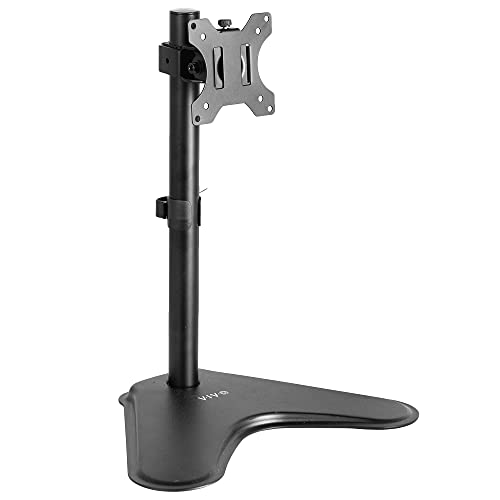
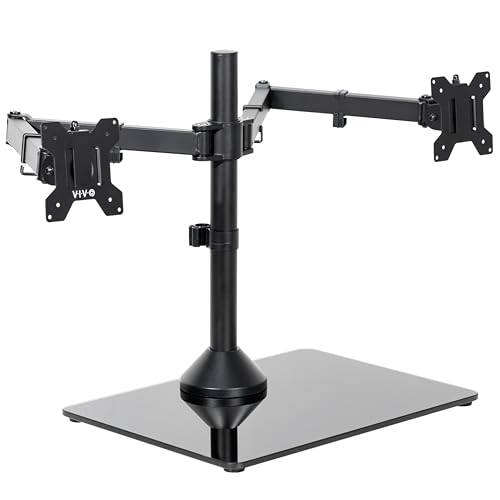
Freestanding bases rest directly on top of your desktop surface without any clamping hardware required. While freestanding units offer simple installation, their large metal or tempered glass footprints consume valuable desktop real estate. For renters or offices with restricted furniture alterations, a wide freestanding base remains the safest drill-free choice.
Ensure your desk edge offers sufficient clearance for heavy-duty dual C-clamps, which distribute load across a wider surface area. Desks with rear modesty panels or crossbars may block standard clamps, making a pass-through grommet mount the necessary alternative.
Counterbalance Mechanisms: Gas Spring vs Mechanical Spring
Counterbalance arms allow effortless vertical positioning with a simple push or pull. Gas spring systems use pressurized gas cylinders to provide silky-smooth height adjustments across continuous ranges. Mechanical spring systems rely on heavy steel coil springs that deliver exceptional long-term reliability without the risk of pneumatic gas leakage.
Gas cylinders can gradually lose pressure after years of daily cycling, especially when supporting ultra-heavy 49-inch monitors near their maximum limit. Mechanical coil systems maintain their tension over decades of continuous use and perform exceptionally well in variable temperature environments. Both styles feature tension adjustment screws to calibrate the counterbalance precisely to your monitor weight.
When calibrating a counterbalance arm, always turn the hex screw toward the plus sign until the monitor floats in place without rising or sinking. Proper tension adjustment eliminates strain on your arms whenever you reposition your workstation throughout the day.
Tilt Joint Construction and Sag Prevention
The tilt joint is the primary failure point on budget monitor arms holding ultrawide screens. When a 34-inch to 49-inch display mounts to a standard friction hinge, gravity continually pulls the top of the monitor forward. Standard ball joints or single-bolt friction plates rarely provide sufficient friction to hold aggressive forward angles.
Heavy-duty ultrawide stands integrate reinforced mechanical gear locks or heavy-gauge dual-plate tilt brackets. These heavy-duty assemblies use dedicated Allen-wrench locking screws to physically lock the tilt angle into place. Some premium mounts feature tool-assisted mechanical tightening specifically engineered for super-ultrawide panels like the Samsung Odyssey series.
Inspect user reviews and specifications to confirm whether the tilt mechanism utilizes metal gearing rather than plastic washers. A robust tilt head ensures your screen remains square to your eyes without needing constant manual realignment.
Articulation Range, Reach, and Depth Clearance
Ergonomic comfort relies heavily on positioning your screen at the proper focal distance and viewing height. Articulated arms feature multi-joint segments that extend forward up to 24 inches or fold back flat against the wall. This dynamic movement lets you pull the display close for detail-oriented tasks or push it away during wide-angle viewing.
Deep desks benefit greatly from long-reach arms that bring large ultrawide panels forward to a comfortable 30-inch focal distance. Shallow desks require articulated arms that can fold their elbow joints backward without hitting the rear wall behind the desk. If your desk sits flush against a wall, look for low-profile arms designed with restricted rear swing paths.
Check the maximum vertical lift measurement from the desk surface to the center of the VESA plate. Taller users require at least 18 to 22 inches of vertical clearance to achieve a neutral neck angle while sitting or standing.
VESA Pattern Compatibility and Curved Adapters
Nearly all modern ultrawide computer monitors adhere to the Video Electronics Standards Association (VESA) mounting interface. The vast majority of displays utilize either a 75x75mm or 100x100mm square screw hole pattern on the rear panel. Premium heavy-duty monitor stands provide dual-pattern mounting plates that support both sizes out of the box.
Many curved and super-ultrawide monitors feature deeply recessed mounting cavities on their rear chassis. These displays often include specialized bracket adapters in their original factory retail packaging to bridge the gap to flat VESA plates. Always verify whether your specific monitor requires standoff screws or an OEM transition plate before attaching your arm.
Detachable VESA plates make the mounting process drastically safer and easier for single-person installation. You can bolt the bracket directly to your monitor on a soft bed or table, then simply slide the display onto the stand arm.
Desk Material Constraints and Surface Reinforcement
Clamping a 40-pound ultrawide setup to a desk concentrates massive downward force onto a tiny surface area. Solid hardwood and thick plywood desktops handle this pressure easily without warping or splitting. Honeycomb paper-filled desks and thin particle board surfaces risk crushing under the concentrated clamp pressure.
Glass and ceramic desktop materials are generally incompatible with standard C-clamps due to catastrophic cracking risks. If you must mount to a manufactured wood or thin surface, use a steel reinforcement plate to distribute clamp stress across a wider footprint. For additional setup ideas, check out our expert guides covering proper home office ergonomic arrangements.
Always measure your desktop thickness before purchasing to confirm clamp compatibility. Most heavy-duty clamps support desk thicknesses between 0.4 inches and 3.5 inches, accommodating standard desktop profiles easily.
Integrated Cable Management and Layout Cleanliness
Ultrawide displays require multiple heavy cables, including DisplayPort, HDMI, high-wattage power bricks, and USB upstream hubs. Without proper organization, these dangling cords create desktop clutter and risk snagging during arm articulation. High-grade monitor stands include built-in cable routing channels inside the arm castings and central support poles.
Look for snap-on covers or large hollow cavities that accommodate thick video cables and braided power cords simultaneously. Adequate internal slack is essential so that cords do not stretch tight or pull free when you elevate the monitor to its highest position. Well-designed cable paths keep your entire workspace clean, streamlined, and visually professional.
Investing a few extra minutes in routing your wires through internal channels prevents port damage on your expensive display. Quality cord channels also protect your cables from pinch points between metal hinge joints.
Multi-Screen Stacking vs Side-by-Side Configurations
Dual ultrawide configurations require dedicated structural planning to achieve optimal ergonomic viewing angles. Side-by-side positioning of two 34-inch or 49-inch ultrawide panels creates an excessively wide field of view that causes severe neck strain. Vertical stacking places the secondary display directly above the primary screen, keeping your head motion natural.
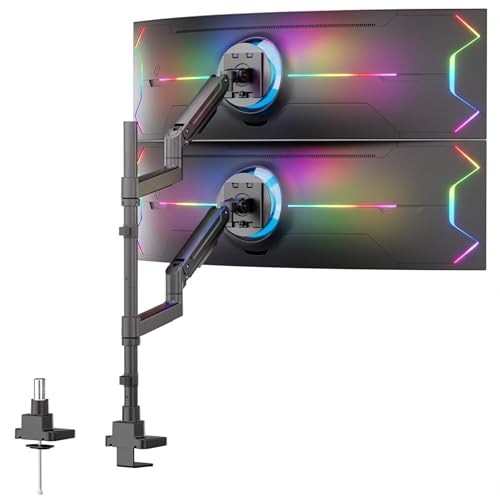
Vertical stacking requires tall center poles measuring at least 28 to 35 inches in height to clear the bottom display. Extra-tall dual stands provide independent articulation for each tier, allowing you to angle the top display downward toward your eye line. Stacking creates an immersive command center layout while preserving horizontal desk width.
When evaluating multi-monitor setups, verify that the total combined weight of both panels remains well within the center pole capacity. You can explore more organizational strategies in our article on how to compare storage systems and maximize functional room space.
| Mount Type | Typical Weight Limit | Best Screen Size | Primary Advantage |
|---|---|---|---|
| Heavy-Duty Gas/Spring Arm | Up to 44 lbs | 34″ to 49″ Single | Full dynamic motion and instant height adjustment |
| Vertical Stack Dual Mount | Up to 44 lbs per screen | Dual 34″ to 49″ | Maximum screen space without horizontal neck strain |
| Freestanding Steel/Glass Stand | Up to 22-44 lbs | 27″ to 38″ Single/Dual | No desk clamping or drilling required |
| Dual-Arm Side-by-Side | Up to 22-35 lbs per arm | Dual 27″ to 35″ | Panoramic viewing for multi-tasking workflows |
Why You Should Trust Us
Our product evaluations rely on rigorous comparative analysis of technical specifications, real-world engineering tolerances, and verified user feedback. We examine structural factors that matter most to ultrawide screen owners, including metal gauge thickness, hinge torque ratings, and clamp base surface area. By aggregating data across leading ergonomic manufacturers, we deliver completely unbiased, research-backed hardware recommendations.
We continuously track updates in display technology, particularly the evolution of super-curved gaming monitors and high-resolution creative displays. Our team evaluates how new monitor dimensions impact center of gravity and mounting hardware performance over extended operational periods. This ensures our buying guidance addresses the true mechanical demands of modern computer setups.
Our recommendations remain strictly independent and focused on providing practical value for your workstation investment. We prioritize durability, ergonomic versatility, and safety above all else, helping you build a dependable desk setup that lasts for years.
Final Thoughts
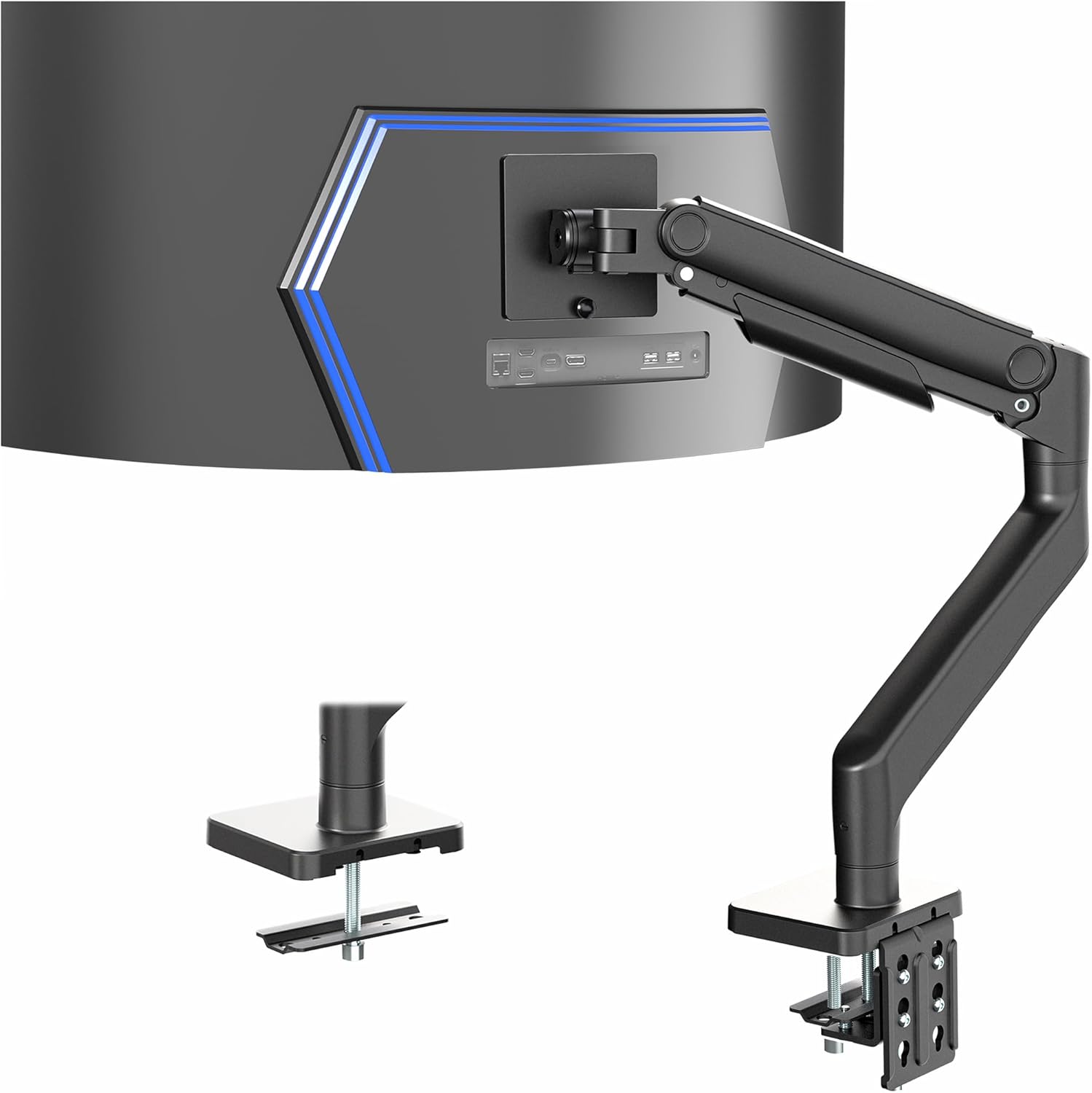
Upgrading to the Best Monitor Stands for Ultrawide Monitors instantly transforms your desk from a cluttered surface into an ergonomic workspace. For demanding users with massive 49-inch curved displays, the HUANUO TitanLift Heavy Duty Monitor Arm delivers unrivaled support with its reinforced aluminum structure and easy tension adjustment. It holds heavy gaming displays firmly in place, completely eliminating screen droop and wobble.
If you are looking for outstanding heavy-duty performance at a budget-friendly price point, the ErGear Heavy Duty Monitor Arm for 13-49″ Ultrawide offers impressive build quality and full-motion articulation. For users who prefer vertical multi-screen productivity, the VIVO Dual Vertically Stacked Ultra-Wide Monitor provides the height and strength needed to stack two massive screens safely. Those seeking a drill-free desktop solution will appreciate the balanced stability of the VIVO Single Monitor Desk Stand.
Take time to measure your desktop thickness and check your monitor weight specifications before ordering. Pairing the right stand with your display creates an immersive, clean, and comfortable computing environment tailored to your daily workflow. For more practical setup advice, browse our comprehensive how to guides for your home office.
FAQs
Can a regular monitor arm hold an ultrawide screen?
Standard monitor arms are generally engineered for flat screens up to 27 or 32 inches and lack the tilt joint strength required for ultrawide displays. Ultrawide panels project their center of mass forward, causing budget arms to tilt downward unintentionally. Using a dedicated heavy-duty ultrawide stand prevents joint failure and keeps your screen stable.
How do I stop my ultrawide monitor from tilting forward?
Forward tilting occurs when the tilt hinge tension screw is not tightened sufficiently to counterbalance the monitor weight. Locate the primary hex bolt at the pivot joint behind the VESA plate and tighten it firmly using the provided Allen key. If the hinge continues to slip, your monitor likely exceeds the maximum torque capacity of that specific arm.
What is the top-rated option among Best Monitor Stands for Ultrawide Monitors in 2026?
Heavy-duty arms with reinforced aluminum castings and high weight capacities represent the top-performing options this year. Models capable of supporting up to 44 pounds with dual C-clamps provide the necessary stability for 49-inch curved screens. These premium mounts ensure seamless full-motion positioning without unwanted sagging.
Are curved ultrawide monitors heavier than flat ultrawide monitors?
Curved monitors may not always weigh more overall, but their aggressive curvature shifts the center of gravity further away from the mounting bracket. This forward shift increases rotational leverage on the tilt mechanism, making the display feel heavier to the mount. Heavy-duty stands are specially reinforced to handle this increased rotational torque safely.
Can I mount a 49-inch Samsung Odyssey G9 on a standard VESA arm?
The Samsung Odyssey G9 requires a specialized heavy-duty monitor arm rated for at least 40 to 44 pounds with an ultra-strong tilt head. You must also install the circular VESA adapter bracket included in the original Samsung monitor box to attach the VESA plate. Standard arms will fail to keep this aggressive 1000R curved monitor level.
Is a C-clamp or grommet mount better for ultrawide monitors?
Both mounting methods offer excellent stability when installed on solid wood or sturdy composite desktops. Grommet mounts provide slightly superior load distribution by securing directly through the desktop core, making them ideal for heavy stacked dual setups. C-clamps offer easier installation without requiring holes in your furniture surface.
Can glass desks support heavy-duty ultrawide monitor mounts?
Clamping a heavy ultrawide screen to a glass desktop is strongly discouraged due to concentrated pressure that can shatter the surface. If you have a glass desk, choose a freestanding desk stand with a broad, padded base rather than an edge clamp. This distributes the weight safely across the glass surface without focal stress points.
Do I need desk reinforcement plates for particle board desks?
Desk reinforcement plates are highly recommended when attaching heavy monitor arms to thin or hollow-core particle board desks. Steel reinforcement plates spread the clamping force across a wider surface area, preventing desk deformation and cracking. They add structural stability and protect your furniture investment over long periods.
How high should my ultrawide monitor stand be positioned?
Ergonomic guidelines suggest positioning the top third of your ultrawide screen at or slightly below eye level. This placement encourages a neutral neck posture and reduces eye strain during extended work or gaming sessions. You can find additional ergonomic planning tips in our guides section for home office design.
What is the difference between gas spring and mechanical spring monitor arms?
Gas spring arms utilize pressurized gas cylinders to provide effortless, fluid movement across all height adjustments. Mechanical spring arms use heavy steel coil springs that deliver durable, consistent tension without the risk of gas cylinder pressure loss over time. Both systems offer excellent counterbalance support when properly tensioned.





Write Your Review
No reviews yet. Be the first to share your experience!